
You can update your billing details (card info, customer details, subscriptions) directly from your account. Follow the steps below depending on what you want to change.
Option 1: Update Card or Billing Info (Active Subscription)
Use this if you want to change your card details for an existing subscription.
Steps:
Log in to your account.
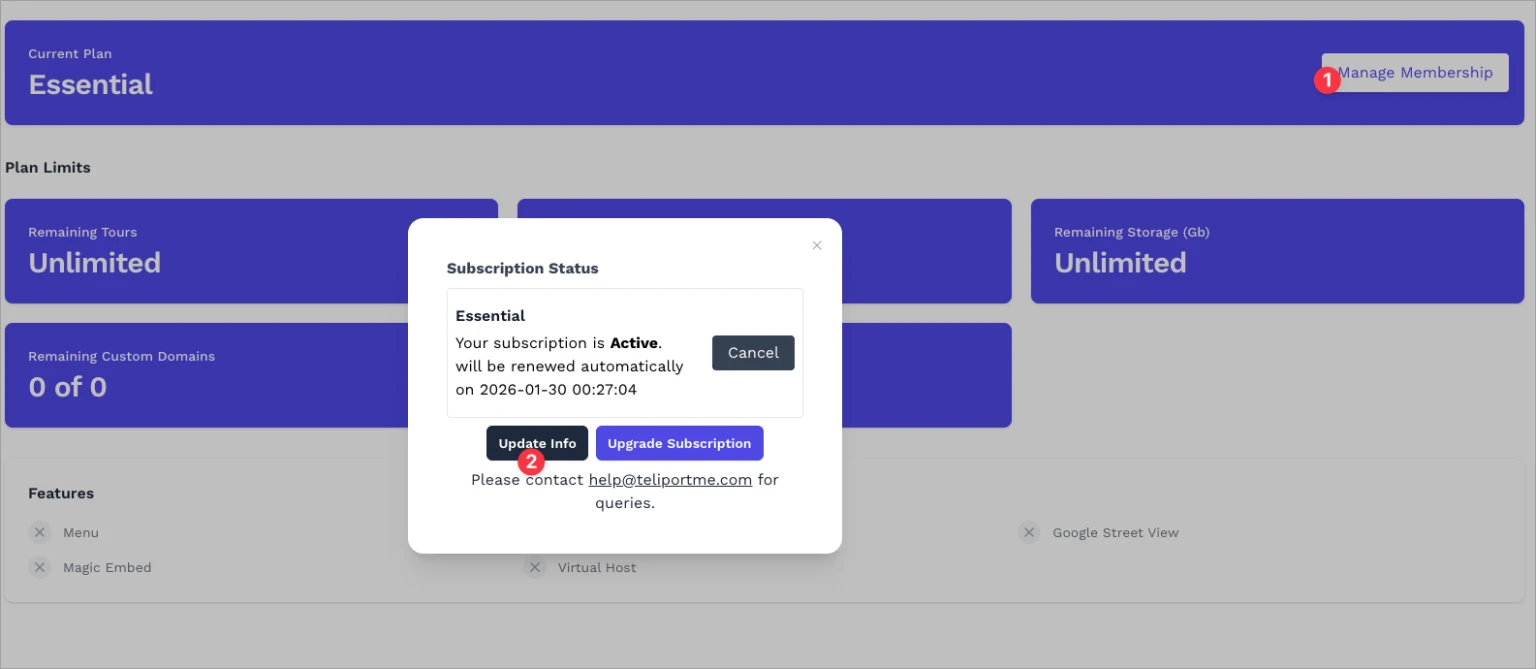
Go to Dashboard → Manage Membership.
Click Update Info.
You’ll be redirected to the secure billing portal.
Update your card or billing details and save.
✅ Changes apply immediately to future renewals.
Option 2: Manage Subscriptions (Recommended)
Use this if you want to view, update, or manage all subscriptions tied to your account.
Steps:
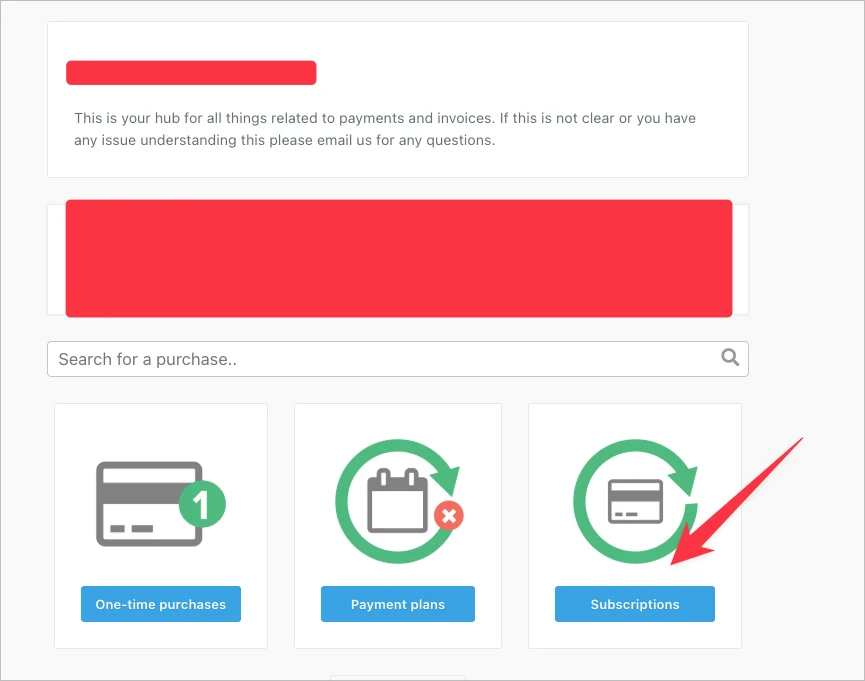
Open the Payments / Billing Hub from your account.
Click Subscriptions.
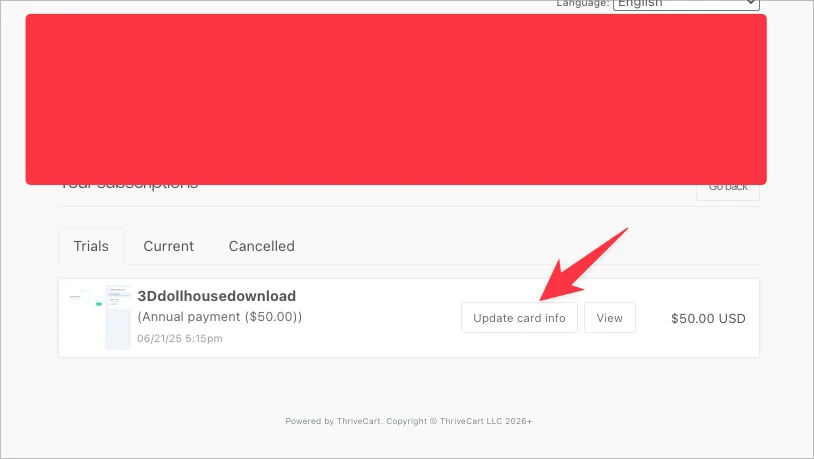
Select the active subscription you want to manage.
Click Update card info or View to see details.
Save your changes.
This is the best option if you have multiple subscriptions or add-ons.
What You Can Update Yourself
Credit/debit card details
Subscription renewals
Billing status (active / cancelled)
What Requires Support
If you need to change:
Account email
Ownership details
Invoice name or company details already issued
Please contact help@teliportme.com.
Notes
All payments are handled securely via our billing provider.
Updating your card does not change your plan or features.
Subscription renewals happen automatically unless cancelled.
